A
📍 New for Experts: Set Your In-Person Request Radius
If you offer in-person services on Atalist, you can now control how far you’re willing to travel.
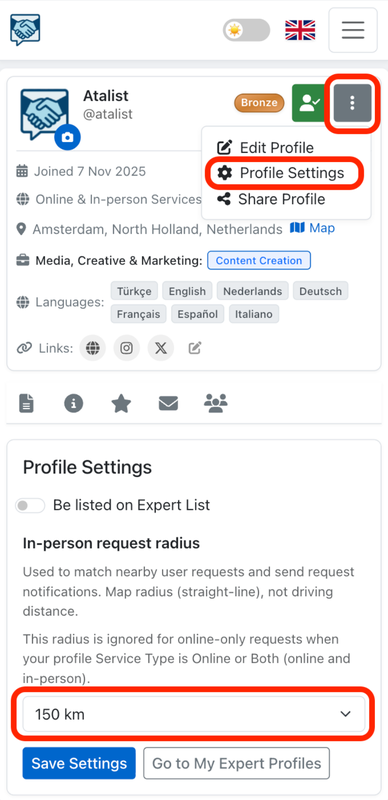
You can define your In-Person Request Radius directly from your Expert Profile Settings.
This radius:
• Matches you with nearby user requests
• Determines when you receive in-person request notifications
• Uses straight-line (map) distance — not driving distance
• Is ignored for online-only requests if your Service Type is set to Online or Both
Some experts are happy to travel far for the right client.
Others prefer to stay local.
Now, you decide. 🎯
Go to your Expert Profile → tap the three dots → Profile Settings → adjust your radius.
More control. Better matches. Smarter notifications.
0001367
Please log in to add a comment.
LoginNo comments yet. Be the first to comment!